Smart air purifiers promise cleaner air with less fuss, but not every "smart" feature earns its price premium. The four features you will encounter most often—Auto Mode, an air quality display, app control, and a filter life indicator—vary widely in how well they work and how much they depend on one hidden component: the accuracy of the built-in air quality sensor. Here is how each one functions, what it genuinely delivers, and where it can let you down.
Understanding Smart Air Purifier Features
When I started comparing smart purifiers, I noticed a pattern: nearly every model packages its intelligence into the same four capabilities. A particulate matter sensor reads the air in real time, an indicator light or numeric readout shows you what it found, an automatic mode responds to that reading, and a companion app connects the whole system to your phone. Xiaomi's product documentation for its Smart Air Purifier 4 Compact, for example, describes exactly this bundle: one-touch Auto Mode, a particulate matter sensor, real-time air quality monitoring, and a four-color indicator light, all alongside remote control through the Mi Home/Xiaomi Home app.
What marketing pages rarely spell out is that these features are not equally valuable, and they do not stand alone. Two of the four—Auto Mode and the air quality display—are only as good as the sensor feeding them. The other two, app control and filter indicators, are simpler but far more reliable. Knowing which is which is the core of making a smart purchase.
Auto Mode and Air Quality Displays: The Sensor's Central Role
Auto Mode is the most attractive promise in the category: the purifier watches the air and adjusts its own cleaning speed, so you never touch a dial. Consumer Reports describes the mechanism plainly—built-in air quality sensors are particle counters that detect pollution levels and automatically adjust the machine's cleaning speed. Xiaomi's specs echo the same logic, with a particulate matter sensor providing "sensitive monitoring of air quality and automatic adjustment of purification speed."
But here is the catch, and it is the single most important idea in this article: both Auto Mode and the display are downstream of that sensor. If the sensor reads the room inaccurately, the display shows you a fictional number and Auto Mode responds to pollution that does not exist. The smartest systems can be essentially useless if their sensing eye is poor.
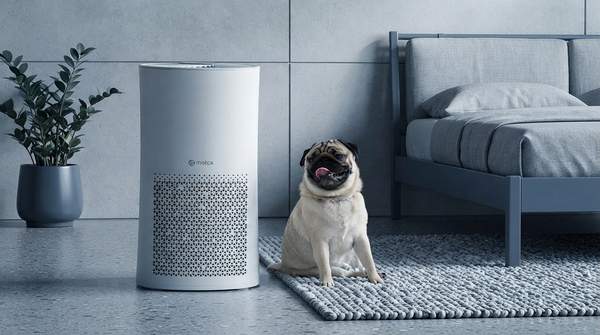
Accuracy genuinely varies by model. Milan Antonic, reviewing smart purifiers at Air Purifier First, found that the Mila air purifier's built-in sensor came close in accuracy to the Temtop laser particle meter his team uses for its everyday testing—a strong result for a consumer device. That stands in contrast to the broader market, where sensor quality is inconsistent, so "automatic" on a spec sheet should be read as a claim to verify, not a guarantee.
Displays come in two main forms. Some show numerical PM2.5 readings; others, like Xiaomi's, use color-coded indicator lights to summarize air quality at a glance. Either way, treat the number or color as a sensor reading, not a laboratory measurement, unless the specific model has demonstrated accuracy.
App Control: From Basic Remote to Advanced Management
"App-enabled" is the vaguest label in this space, because the apps behind it range from a glorified on/off switch to a full command center. At the basic end, Consumer Reports notes that some models use a phone app simply as a remote control, letting you adjust settings from across a room. Xiaomi's app sits in similar territory: remote activation, timed on/off, adjustable settings, and an air quality view.
The richer tier adds scheduling and maintenance alerts. WiFi-connected models monitored through a smartphone app, Consumer Reports explains, can provide particulate matter readings, let you set operating schedules, and send alerts when the filter needs replacing.
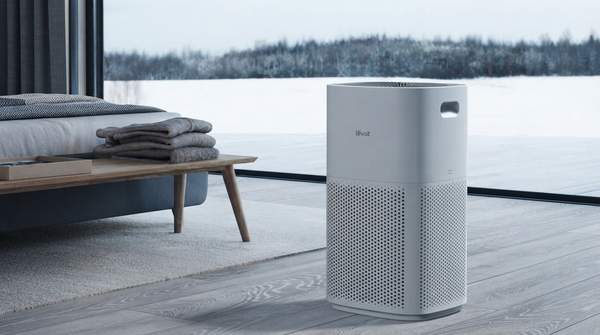
The top tier turns the purifier into a data platform. Antonic writes that connecting the Levoit Vital 200S to the VeSync smart app "raises your Vital 200S to a completely different level, unlocking many new possibilities that aren't available through the physical controls on the device." The Mila app goes further still: automation, remote control, historical air quality data, and switching between special modes such as energy-saving, household, white noise, and sleep modes—plus an AI assistant you can ask about your air quality.
The practical lesson: before paying for "smart," check what the specific app actually offers. Remote on/off is convenient; schedules, history, and special modes are genuinely different ways of living with the device.
Filter Life Indicators: Ensuring Optimal Performance
The humble filter life indicator is the least glamorous feature here and, arguably, the most dependably useful. Consumer Reports describes it simply: a service indicator light that flashes when it is time to replace or clean the filter. Because a purifier with a spent filter loses its cleaning effectiveness, this small light protects the entire value of the machine—smart or not.
It also connects directly to the app tier discussed above. In WiFi-enabled models, the same maintenance information flows into the app, so you receive filter alerts on your phone rather than having to notice a blinking light on the chassis. Xiaomi's app-based control panel similarly folds filter status into the broader control experience.
One nuance worth knowing: filter life indicators are typically usage-based rather than sensor-based, so unlike Auto Mode they do not inherit the accuracy problem. Their main limitation is different—they tell you when to service the filter, but they cannot compensate for a filter that was undersized for the room in the first place. That sizing question sits outside the smart feature set, and outside this article's scope.
Smart Air Purifier Features: A Comparative Overview
Here is the framework I use, side by side, when weighing whether a model's smart features justify its price.
| Feature | What It Does | Primary Benefit | Key Consideration |
|---|---|---|---|
| Auto Mode | Automatically adjusts fan speed based on detected air quality. | Hands-off purification that responds to real conditions. | Relies entirely on the accuracy of the built-in air quality sensor. |
| Air Quality Display | Provides real-time visual feedback, as PM2.5 numbers or color codes. | Instant visibility into your indoor air. | Reliability is tied directly to sensor accuracy, which varies widely between models. |
| App Control | Allows remote operation, scheduling, and monitoring via smartphone. | Control and visibility from anywhere. | Functionality tiers vary from basic on/off to advanced scheduling and historical data. |
| Filter Life Indicator | Notifies you when the filter needs replacement or cleaning. | Timely maintenance that preserves cleaning effectiveness. | Usage-based rather than sensor-based, so it avoids the sensor-accuracy problem—but it cannot fix an under-filtered room. |
Read down the "Key Consideration" column and the hierarchy becomes obvious. Filter indicators are near-universal wins. Apps are worth it if the app does what you want—verify the specific functions. Auto Mode and the display are the premium features, and their value is a direct bet on the sensor inside that particular unit.
Making Your Smart Air Purifier Choice
The decision that follows from all of this: prioritize smart features based on your specific needs, critically evaluating sensor accuracy for Auto Mode and displays, and verifying the extent of app functionality before you buy. If you want hands-off automation, do not accept "Auto Mode" at face value—look for independent testing of that model's sensor, in the way Antonic's testing compared the Mila's sensor against a laser particle meter. If you mainly want convenience, a mid-tier app with scheduling and filter alerts may deliver everything you need at a lower price.
A simple post-purchase check will tell you whether your smart features are real or decorative: the chosen air purifier's display or app consistently reports air quality changes that align with noticeable environmental shifts, such as cooking or dusting, and its Auto Mode adjusts fan speed accordingly. If the readings move sensibly when the room demonstrably changes, your sensor—and every feature built on it—is doing its job. If they stay flat through a burnt batch of toast, you have paid for a screen, not a smart system.