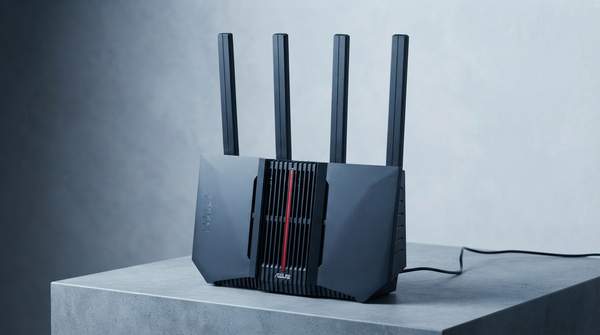
Protecting a smart home starts with the router, and the settings that matter most go well beyond picking a strong password. The US Cybersecurity and Infrastructure Security Agency (CISA) advises disabling Universal Plug and Play (UPnP) because threat actors can use it to spread malware to devices on your network and control them remotely. Combined with WPA3 encryption, a functioning firewall, guest network isolation, and automatic firmware updates, these configurations form a layered defense that addresses the specific ways smart speakers, cameras, and other connected devices are attacked. No single feature makes a network safe; as NETGEAR's own security documentation puts it, security is a system, not a single feature.
Essential Router Security Features for Smart Homes
The single most consequential setting is your Wi-Fi encryption protocol. WPA3 is widely described as stronger than its predecessor, and NETGEAR's security documentation lists WPA2/WPA3 encryption among the core protections that secure wireless traffic on a home network. Encryption ensures that intercepted Wi-Fi signal data is not readable, so a neighbor or nearby attacker who captures your wireless traffic cannot use it to join your network or spy on the communications your devices send. For a household full of cameras, locks, and speakers that transmit constantly, that confidentiality matters more than it does on a network used only for casual browsing.
Encryption only works, however, when every device on the network can speak the same protocol. Both the router and each connected smart device must support WPA3 for the network to operate at that level. Because many older IoT devices do not, routers commonly offer a WPA2/WPA3 mixed mode for compatibility. That mode keeps legacy devices connected, but it is a compromise: the network accommodates the older standard, so the protection for those devices is not equivalent to a fully WPA3 network. When a smart plug or camera refuses to connect after you enable WPA3, the device's protocol support—not the router—is usually the reason. Checking a device's specification sheet for WPA3 support before purchase avoids the problem entirely.
Two further features round out the baseline. Device access control, described in C3 Automation's router security guide, lets you restrict which devices may join the network, countering the efforts of unauthorized users even if your Wi-Fi password has leaked. Parental controls and website filtering, highlighted by both NETGEAR and C3 Automation, block access to inappropriate or distracting material—a meaningful protection when children can interact with smart speakers and shared devices. For households with remote workers, a VPN feature on the router adds safe browsing for sensitive data, though it complements rather than replaces the other settings.